
A desk accessory is a small item with a large effect on how orderly the surface feels. Several attractive organizers can still compete for the same desktop, hide a remote behind a tissue box or leave no place for a guest's own belongings.
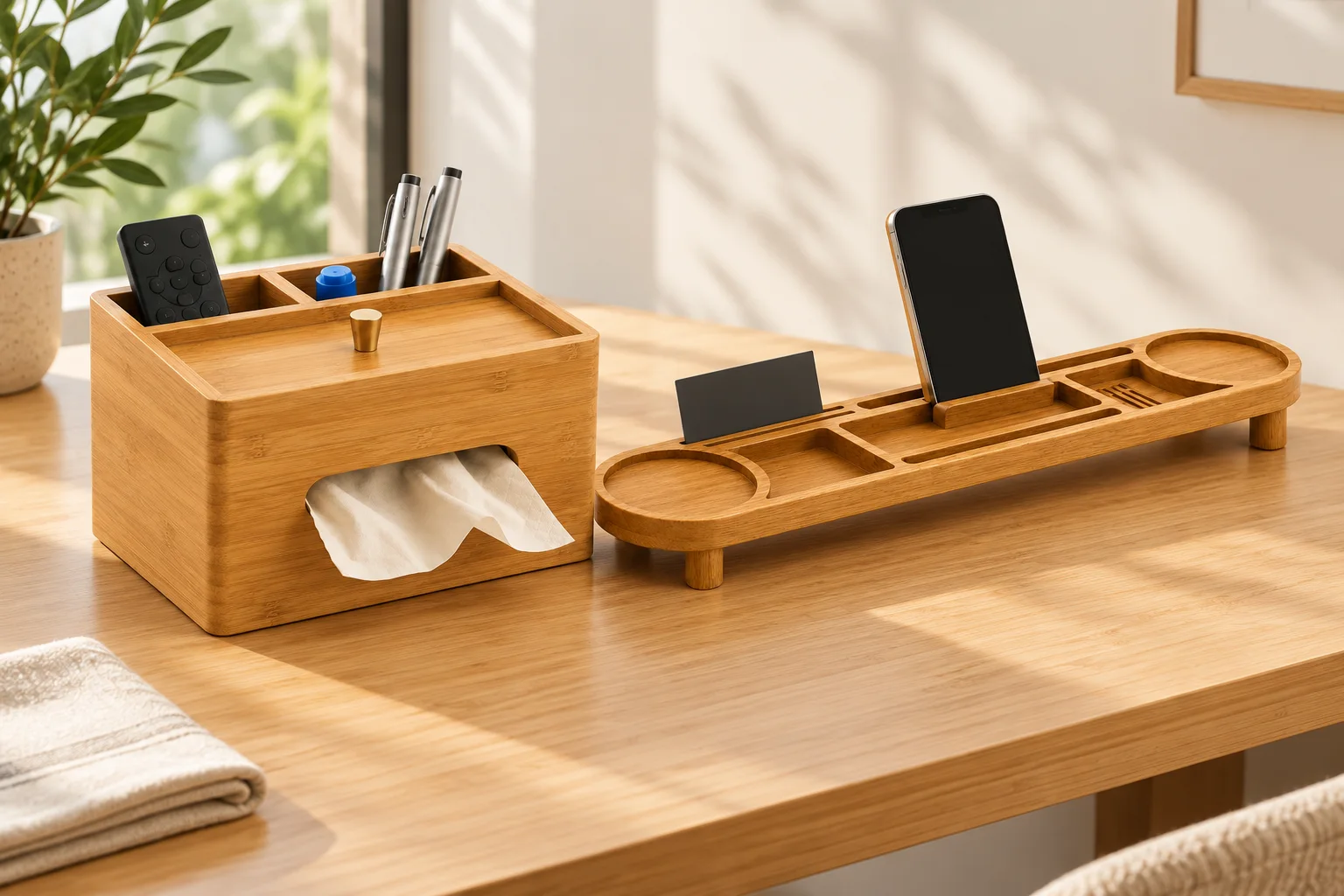
Plan the arrangement as a set of everyday actions. The three bamboo accessory directions below perform different jobs; buying all three is not automatically the right solution.
Test the tissue pack that will actually be supplied
The Multifunctional Tissue Box Organizer has a front dispensing opening, rear divided compartments and a recessed top detail. Its size and tissue opening are reviewed around the intended pack.
Use the nominated pack for a trial. Confirm how it enters the holder, how tissues are dispensed and how staff remove an empty pack. Do not infer the refill route from the top knob alone. Check any objects placed on the upper area against the actual refill action.
Give every compartment a known object
The Curved Desktop Organizer provides stepped open compartments and rear vertical storage. Specify what goes in each: the actual pen, memo pad, card, remote or other selected item. Include any cover or sleeve in its dimensions.
Set the arrangement from the guest's approach rather than the front of a product photograph. A remote that fits in a deep section may be hard to identify or grasp. A tall card can hide smaller items behind it. Review visibility and removal together.
Check a device stand with its case and connected cable
The Multi-Function Desktop Organizer Stand combines recessed trays with a central upright device support and a front retaining ledge. Its support width, angle and clearance can be reviewed for the intended phone or tablet range.
Test the selected device with its case and, where needed, its charging connector attached. Confirm the intended orientation and access to relevant buttons. This is a stand design direction, not a supplied charger, guaranteed universal fit or automatic power-integration offer.
Use one trial for guests and housekeeping
| Action | Actual reference to use | Arrangement to confirm |
|---|---|---|
| Taking and refilling tissues | Nominated tissue pack, not just nominal box dimensions | Dispensing opening, refill route and unobstructed access |
| Finding a remote or pen | Selected object with any case or sleeve | Visible position and a practical grip for removal |
| Placing a device | Intended device, case and connector | Stand support, orientation and cable clearance |
| Adding personal belongings | A representative guest-object trial | Usable free surface outside the hotel's fixed accessories |
| Resetting the desk | Agreed accessory contents and care instructions | Repeatable positions and accessible areas for cleaning |
Remove redundant pieces before expanding the set
Mark the fixed hotel contents and the surface left free for the guest. If two accessories both serve the same small-object storage role, compare a simpler arrangement before adding another piece. The desired result is a usable desktop, not a higher organizer count.
Review cleaning instructions for the approved materials and finish, including narrow corners and compartments. No food-contact, heat-resistance or hygiene certification is implied by the accessory's bamboo appearance.
For a hotel desktop accessory review, send the desk footprint, nominated packs and objects, device references and the intended reset arrangement. Final compartments, material composition, finish, branding and packing follow project approval.